At least 19 (18 in some provinces)
Your birth date is checked against identification. The usual minimum is 19, or 18 in Alberta, Manitoba and Québec.

New account · 19+
Set up an account carefully: prepare your details, review the form, understand identity checks and choose sensible settings for your first session.
Independent guide: this illustrative form creates no account. Check the current official terms and applicable licence before registering or playing. 19+ only.
01Prepare these
Registration is quicker when your information is ready. Canadian operators generally request similar personal and contact details.
Your birth date is checked against identification. The usual minimum is 19, or 18 in Alberta, Manitoba and Québec.
Provide your Canadian home address as shown on official mail. Ontario-regulated sites also confirm that you are physically in Ontario.

Use an email address and phone number that you control for verification messages, security codes and account updates.

Verification may require a driver’s licence, passport, provincial photo card or PR card, along with address proof if requested.
02Review the layout
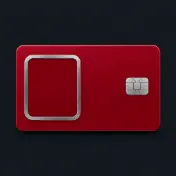
This shows the typical shape of a registration form. It is not connected to Planet 7 or any casino, so do not enter genuine personal information.

Confirm you’re on the operator’s official site, your name and birth date match your ID, and you’ve reviewed the terms.
03Registration steps
The screens vary by operator, though the steps usually follow a familiar order.
Enter the address yourself or use a saved bookmark, then select Sign up. Avoid links in ads and messages.
Enter your legal name, birth date and Canadian address exactly as shown on your ID.
Submit the codes you receive. They may expire quickly, so leave the page open.
Send documents if requested, then choose a deposit limit before making your first payment.

A deposit limit set on your first day can be easier to maintain than one chosen mid-session. 19+ only.
Limits and help →04Identity checks
Canadian anti-money-laundering rules, overseen by FINTRAC, require casinos to verify players’ identities. Checks help protect minors, respect self-exclusion and make payments traceable.
Regulated casinos verify identity, age and address, check self-exclusion lists and may ask about the source of funds. Some provide temporary accounts during checks and pause withdrawals until verification is done.

05Secure your account
Your account contains funds and personal information. Two-factor authentication (2FA) pairs a one-time code with your password, so a stolen password alone won’t grant access.
+Safer habits | −Avoid these habits | |
|---|---|---|
| 01 | A passphrase with at least 12 characters | Names, birth dates or predictable number sequences |
| 02 | A unique password not used on other sites | Reusing your email account password |
| 03 | A password manager for secure storage | Giving anyone your codes, even someone claiming to be support |
| 04 | An authenticator app for 2FA, if available | Keeping your password on a shared device |
Already signed up? Learn how two-factor codes work when you log in.
06Once registered
Planet 7 lists a 200% Welcome Bonus; check the official site for current terms, including any code requirements. This independent guide is not the operator, and offers can change, so confirm details there before playing.
07Play within your limits
Decide on limits when you are clear-headed, not mid-session. Canadian regulated operators must provide responsible-gambling tools, although the options differ.
08When sign-up hits a snag
Registration hiccups often have a straightforward explanation. Don’t create another account to bypass a problem.
An account may already exist. Try a password reset instead of registering again.
Reset your password →Check your spam folder, confirm the number has +1 and your area code, then wait briefly before requesting another code.
Forms may require dates in YYYY-MM-DD format. Enter your name exactly as it appears on your ID, including middle names.
A self-exclusion, age screening or location check could be the reason, such as being outside Ontario when using an Ontario-regulated site. Ask the operator for details.
09Payments
Payment options, limits and timing can depend on the method and your account. Review the cashier before sending funds or requesting a withdrawal.
Planet 7 lists options including major credit and debit cards, Visa, MasterCard, Neteller, bank transfers, bank checks, Bitcoin and other e-wallet or cryptocurrency methods. The options available to you may differ, so confirm the current list in your account’s cashier. Check the currency, any displayed minimum or maximum, and whether the method can be used for both deposits and withdrawals. Do not assume a deposit route is also available for cashouts.
Processing time is not one fixed figure for every payment. A request may involve the casino’s handling time as well as the time taken by a bank, card issuer, e-wallet or crypto network. Check the cashier and current terms for the method-specific estimate, then retain the transaction reference. If a payment is pending beyond the displayed timeframe, contact support with the date, amount and reference rather than submitting a duplicate request.
Before a withdrawal is authorized, Planet 7 may ask for identity or payment records, including proof that a payment method belongs to you. Make sure your account details match your documents and respond through the instructions provided. Requirements can apply at any time, so completing a deposit does not necessarily mean a later cashout will be immediate. For broader payment information, see the deposit guide.
10Promotions
A headline percentage does not explain every condition attached to a promotion. Check the offer details before depositing so you know what applies to your account and play.
Planet 7’s stated welcome offer is a 200% Welcome Bonus. The listed minimum deposit for that offer is CAD 50. Treat those details as a starting point, not a substitute for the terms shown when you select the promotion: eligibility, the qualifying deposit, and any requirements can be offer-specific. Confirm that the offer is still available and that you understand how it is activated before completing a payment.
Look for a stated wagering requirement, expiry date and maximum bet while the offer is displayed. These details are not established here for every promotion, so check the current terms rather than assuming that one offer’s conditions carry over to another. If a term is unclear or missing from the page you are viewing, ask support to clarify it before opting in. Keep a record of the offer name and the terms presented at the time.
Do not choose an offer based only on its percentage. Promotions may have different conditions, and a term that matters to your play—such as an expiry or stake restriction—can change how practical an offer is. Read the full current wording in the account or promotion page, and save a copy for reference. You can compare available promotions and their stated conditions on the bonuses page.
11FAQs
You must be of legal gambling age where you live and meet the operator’s residency and location requirements. Regulated operators also screen self-exclusion lists.
Identity checks may be required. The operator may ask for documents at any time, including to authorize a withdrawal; check its current requirements.
A code may be required for some offers. Check the current offer terms on Planet 7’s official site before registering or depositing.
Check Planet 7’s account rules before registering. Don’t open another account to get around a registration issue.
That depends on the available account settings. If two-factor authentication is offered, enabling it can add security.
No. This independent Planet 7 guide is not the operator, and its form does not create or verify an account.
12What to read next